Android Games
Look for a browser game that feels right on your phone
The Android tag on Pokiy is a place to browse games when you have a phone or tablet in reach. The label gives you a starting point for discovery. Each game page is where you can check the controls and see how the game opens in your browser. Think about where your hand will rest while you hold the device and play. A game that asks for occasional taps may be comfortable on a smaller screen. One that needs a continuous drag gives you a different relationship to the display because your finger can cover the very object you want to see.
Try something that lets you look before moving
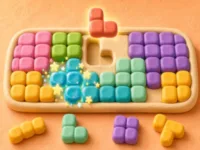
Dream room: arrangement of objects is listed under this tag. Its game page describes sorting and putting things in order. That kind of scene gives you a useful way to judge how comfortable the display feels. Pick a single recognizable item and look at the area where you think it should go. Before moving it, check whether you can see enough of both places to understand where the item ends up. The result of one placement tells you something about how much of the screen you need for this game.
If the display is crowded, take a moment to separate the visual question from the control question. You may know which item belongs somewhere and still find it awkward to select. Or the movement may feel smooth while the intended destination is hard to recognize. Those situations call for different responses. Try a larger object or a simpler area to see whether a small screen is getting in the way. You can then decide whether to continue or choose a title whose pieces are easier to distinguish.
Compare a route you draw with an object you place
Draw Path to Finish also appears in the Android listing. Try it when the idea of drawing a route appeals to you. Before tracing a whole line, spot a turn you can recognize clearly. Notice how much of the way ahead stays visible as you move your finger. It is easier to judge the next turn when the game shows the line well enough that you can tell where you have already been. On a tablet, repeat a similar move and see whether the extra space changes the part you pay attention to.
Choose for the device you have now
When you are playing away from a desk, pick a game whose opening you can try comfortably in the time you have. The Puzzles shelf gives you more chances to inspect an arrangement before you act. The HTML5 tag offers a broader selection if you switch devices and want another kind of play. Read the listed instructions on the individual game page, then make one easy move. If you can see the result clearly and comfortably repeat the move, you have a better reason to stay than the tag alone can give you.