Free Games For Your Website
Choose a browser game that fits the page around it
A game can make sense alongside an article, at the end of an activity page, or in a small arcade of its own. The best fit starts with what somebody is doing when they arrive. A reader who has finished an article might happily try a puzzle with an objective they can recognize in seconds. Someone who comes looking for a game may want a challenge worth coming back to. The titles below are useful starting points for comparing those experiences. Open each game on its own page and see how quickly you can tell what the first move should be.
Try a puzzle with a visible first step
Ball Sort 2D builds its puzzle around arranging colored balls. A partly sorted board makes the task easy to understand at a glance, while a crowded board gives the player something to work out over several moves. Pay attention to which colors are easiest to distinguish when the play area is small. If a game will sit beside other content, a first move that still makes sense at that size is a useful quality. You can also watch for how much room the puzzle needs before its pieces start to feel cramped.
Match the game to a subject readers already care about
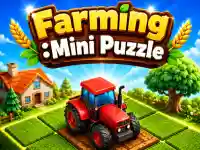
Dream Room: Arrangement of Objects uses household sorting and cleaning as the activity. A page about organizing a room can lead naturally to a game where the player starts by deciding which objects go together. Farming Mini Puzzle Game gives puzzle players a colorful farm setting. Play through an opening challenge and look for a detail you can describe in the link text beside it. A reader gets more from knowing what they will be doing than from seeing a generic invitation to play.
Check how much space a moving game needs
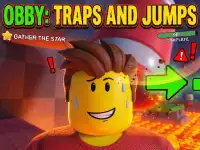
Obby Spider Swing offers twenty levels based around swinging through obstacles. A game with that much movement benefits from a play area where you can see past your character and judge the next part of the route. Try playing on a phone as well as at a desk. Notice whether your finger covers the place you are aiming for and whether any surrounding page controls are easy to hit by accident. The answers help you decide whether to send visitors to the game page or make more room for the game in your own layout.
Check distribution terms before adding a game
Use the tag to find candidates, then confirm the distribution terms and available embed options with the game's provider. If you have permission to embed a title, try it in the page where it will appear. Check what happens when a reader scrolls past it, rotates a phone, or returns after leaving the tab. If you use an ordinary link, give it the game's name and a short description of the first challenge so the reader knows what will open. A link beside a relevant sentence also gives visitors context before they leave the page.