Unity3D Games
Follow the water through two very different games
The Unity3D tag on Pokiy groups games by a technical label, so the titles beside each other can have little in common at first glance. There are parking courses, sports games and underwater scenes on the same page. If you want to explore what those scenes ask of you, start with a pair that shares a subject but changes the activity. One underwater game may give you a route to solve and another may give you a habitat to look after. Check the instructions for each game to see which controls it uses and whether they suit the device you have.
Plan the next change in a network of pipes
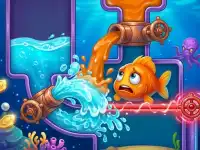
Fin Freedom describes guiding a fish through underwater pipes by pulling pins and redirecting streams. First, pick a stream and see where it could go before touching a pin. If a junction offers two possible routes, check what separates them. A pin may matter because it keeps one branch closed while you change a different one. Think about what you want the scene to look like after the move. You may learn more from following a short section of water than from trying to work out the entire layout at once.
As you become familiar with the display, check which objects are easy to find after the water starts moving. A recognizable bend in a pipe can help you remember which route you meant to open. If a change surprises you, go back mentally to the first fork instead of focusing only on where the fish ended up. The puzzle can become easier to read once you know which decision created the result. On a fresh stage, look for the relationship between branches and barriers before settling on a first move.
Look after an underwater space over time
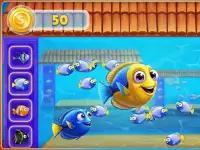
Fish Tank: Caretaker Simulator gives the same subject a different rhythm. Its game page describes designing habitats and maintaining water chemistry. Start by looking at what the game shows about the current state of the tank. Then see which choices are about the way the space looks and which are about the conditions inside it. If you change one thing at a time, it is easier to recognize how the display responds. You can spend a short visit watching a single detail or stay longer to see how several choices work together.
Try imagining the view as an arrangement you will return to. Where would a bright object make the scene easier to read? Is there enough open space to notice what is happening near it? Take a look from a little farther away before adding more. A useful design is one where you can enjoy the scene and still see the details the game asks you to follow.
Browse by the part you want to keep
Visit Logic if the pipe connections were what interested you. Try Decoration if the aquarium made you want another scene to arrange. Either choice gives you a way to continue from the kind of play you liked.